


What is the AI Product Photography?
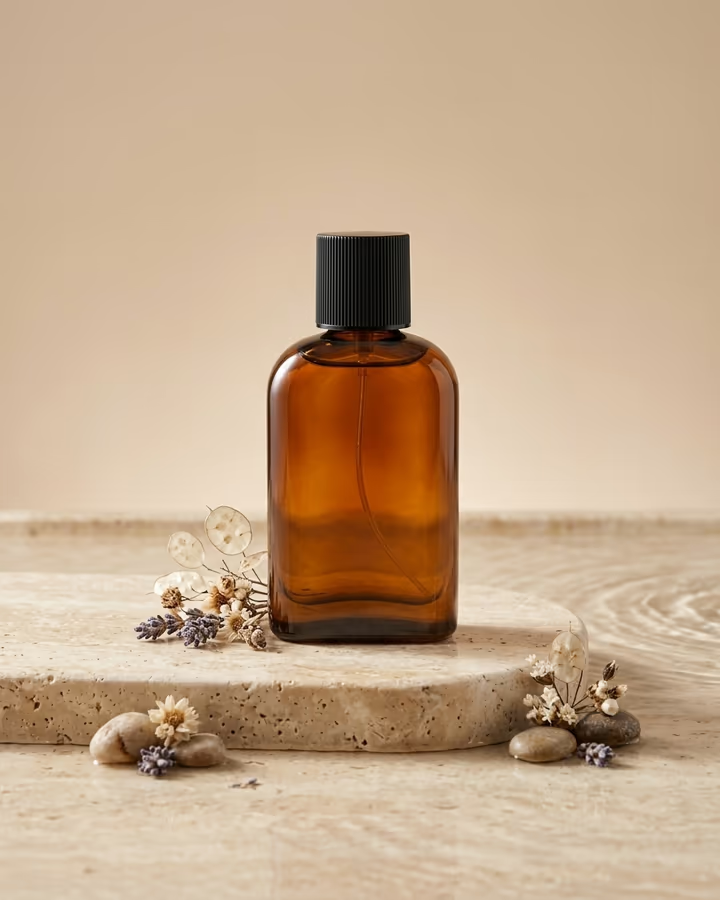
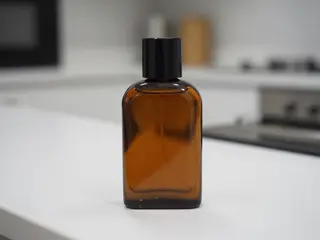
AI product photography turns a quick phone photo of your product into a studio-style ad image. Upload the shot, and the template places the exact same product on a polished travertine pedestal with soft shadows, a few natural props that suit it, a beige studio backdrop and controlled softbox light. The prompt tells the model to keep the product's shape, color, material, cap and label exactly as they are, and not to add any text or logos of its own.
This started on Soracai as a trend page built around Nano Banana Pro, after Google's Gemini image models showed in 2025 how well they could restage a product without redrawing it. Small sellers on Etsy, Shopify and TikTok Shop picked up the idea quickly, because a set of clean, consistent product shots used to mean renting a studio or hiring a photographer. The template now runs on Nano Banana 2, which keeps product details well at a lower cost.
Want a different look? Describe it in the optional text field: wet black slate with lemon slices, a bright summer beach, a marble bathroom shelf. The text is added to the prompt.
Each image takes about 20 to 40 seconds and has no watermark. New accounts get free credits to try photo templates.
Keeping your product accurate
A product photo is only useful if it shows the real product. The prompt is written around that: it names shape, color, material, cap and label as things to keep exactly, and it forbids added text or logos. In practice, simple packaging with large labels is reproduced very faithfully. Tiny print, fine patterns and reflective chrome are where small differences can appear.
Before you use an image in a listing, compare it with the product in hand. Marketplaces expect photos to represent what the buyer receives, so do not publish a result that changes size, color or details.
From one shot to a consistent set
Listings look more professional when every image shares a lighting style. Start with the default travertine scene, then add short variations in the text field, like "same setup, top-down view" or "same pedestal, with sand and a seashell". Each run uses your original photo, so the product stays consistent while the staging changes.
For multiple products, upload each one separately with the same text so the whole catalog matches. Shooting all products with the same phone, angle and distance before you upload makes the final set look even more consistent.