Skip to content

Glitch Makeup AI Transition

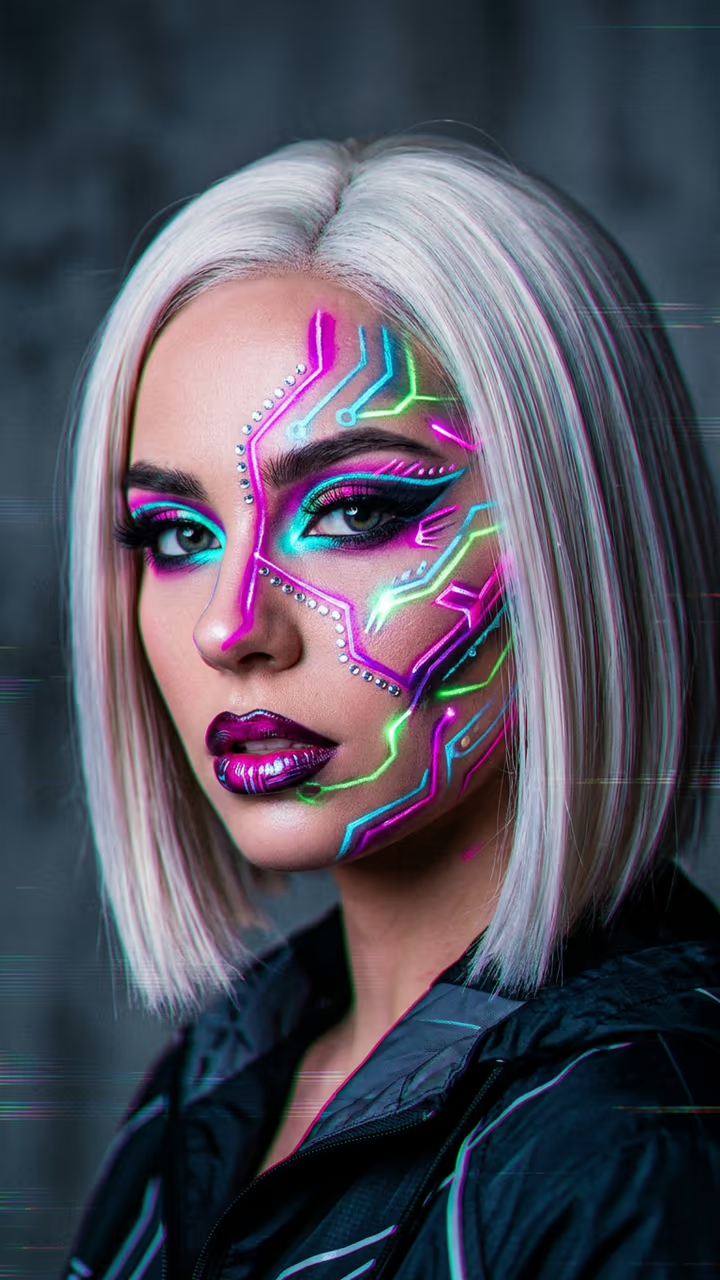
You paint green stripes on your face, the screen glitches on the beat, and you're back in neon circuit-line cyber makeup.

Glitch Makeup · switch effect

Your face

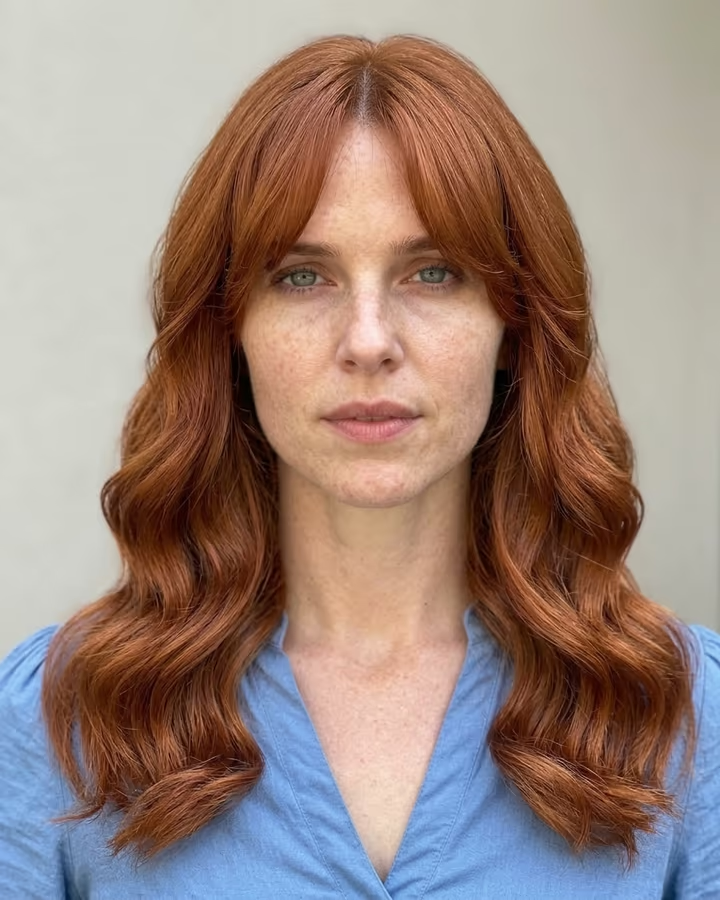
Chest up, face straight to the camera, good light

Cost shown before you run · failed runs are refunded

  • Ready in 1–3 min
  • No watermark
  • Failed runs refunded
  • Uploads never published

This trend on Instagram & TikTok

The most-watched videos of this trend, shown with credit and a link to each original post. Videos belong to their creators; they were not made with Soracai.

  1. 1

    @deanpenttio97

    Trend video

    TikTok

    9.52M views · 1.92M likes · September 19

    Glitch into cyberpunk makeup

    Watch on TikTok ↗
  2. 2

    @nozisetria

    Trend video

    TikTok

    6.49M views · 158K likes · September 9

    Green-paint glitch makeup

    Watch on TikTok ↗
  3. 3

    @noeminikita

    Trend video

    TikTok

    5.64M views · 227K likes · September 10

    Green paint to circuit lines

    Watch on TikTok ↗
  4. 4

    @marisglameffects

    Trend video

    TikTok

    2.4M views · 57K likes · September 3

    The finished glitch look

    Watch on TikTok ↗
  5. 5

    @youngforevermakeup

    Trend video

    TikTok

    2.28M views · 94K likes · September 11

    Glitch trend tutorial

    Watch on TikTok ↗

How to use the Glitch Makeup AI Transition

  1. 01

    Upload a photo

    Your face: Chest up, face straight to the camera, good light.

  2. 02

    Press Generate

    The Glitch Makeup effect runs on its own tuned settings. It costs 150 credits, shown on the button before you run it.

  3. 03

    Download

    Your video is ready in one to three minutes. Download the MP4 without a watermark.

What is the Glitch Makeup AI Transition?

The glitch makeup AI transition turns one selfie into a beauty-creator transition video. It starts like a normal makeup clip: you are chest up in front of a plain wall, holding a flat brush loaded with bright green paint, and you paint quick, bold stripes across your forehead, one cheek and your jaw while looking calmly into the lens. Small RGB colour bars flicker inside the green strokes. Then the beat drops. The whole picture glitches, with an RGB split, horizontal tearing and pixel blocks, and when it clears you are in full cyber makeup: thin neon circuit-trace lines in white, magenta, cyan and lime around your eyes, cheekbones and jaw, tiny silver rhinestones, glossy lips and a sleek straight platinum wig. You tilt your head and stare into the camera as the lines flicker.

The transition is one of the newest beauty formats of October 2026. The most-viewed version passed 9.5 million views with nearly 2 million likes, others reached 5.6 and 2.1 million, and the #glitcheffect tag sits above 600 million views. Real versions take hours of face paint and editing; this one takes a photo.

Your selfie is the first frame and a video model does the rest in one 10-second clip with brush sounds, a glitch hit and a heavy electronic drop. It is vertical and watermark-free.

Why your selfie matters here

Unlike most video templates on Soracai, this one does not build a new start frame. Your photo is the first frame of the video, and the model paints and transforms you from there. That keeps your face closest to the original, but it also means the background and framing come from your photo. A plain, light wall and a chest-up crop give the cleanest result.

The timing

The clip is written in three beats: about four and a half seconds of painting, a short glitch on the drop, then five seconds of the finished look. That mirrors how the viral versions are edited, so it lines up with most electronic trending sounds without extra cutting.

Glitch Makeup AI Transition FAQ

How do I make the glitch makeup transition?

Upload a clear chest-up selfie and press Generate. The template paints the green strokes, glitches on the beat and reveals the cyber makeup in one 10-second clip.

Is it free?

Video templates use paid credits. New accounts get free credits for photo templates only. The exact cost is shown on the Generate button before you confirm.

Does it work for men?

Yes. The circuit-line makeup and wig work on any face; the wig is part of the look, so it appears on everyone.

Does it have sound?

Yes: brush strokes, a glitch hit and a heavy electronic beat drop. You can mute it and add your own sound.

Can I keep my own hair?

Not in this template. The platinum wig is part of the trend look.

Is there a watermark?

No watermark is added to the video.

Where is my photo stored?

Uploads are stored in Firebase Storage (Google Cloud) under your account so the run can happen and the result appears in Creations. They are not public, and you can email support to request deletion. To run the effect, a copy is sent to our AI model provider (kie.ai); result files are kept for 14 days, so download what you want to keep.

More AI effects

Try the Glitch Makeup AI Transition

Upload a photo and get your video in a couple of minutes.

Upload photo