Skip to content

AI Hotel Lobby Video

Upload two photos and you and a friend trade the Hotel Lobby rap verse in the orange studio booth, in sync with the original song.

Hotel Lobby · switch effect

Left performer

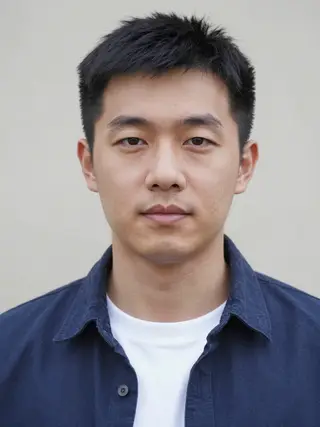
One person per photo, face clearly visible, waist-up or full body, no sunglasses

Right performer

One person per photo, face clearly visible, waist-up or full body, no sunglasses

Cost shown before you run · failed runs are refunded

  • Ready in 1–3 min
  • No watermark
  • Failed runs refunded
  • Uploads never published

How to use the AI Hotel Lobby Video

  1. 01

    Upload your photos

    Left performer: One person per photo, face clearly visible, waist-up or full body, no sunglasses. Right performer: One person per photo, face clearly visible, waist-up or full body, no sunglasses.

  2. 02

    Press Generate

    The Hotel Lobby effect runs on its own tuned settings. It costs 300 credits, shown on the button before you run it.

  3. 03

    Download

    Your video is ready in one to three minutes. Download the MP4 without a watermark.

AI Travel Effects

What is the AI Hotel Lobby Video?

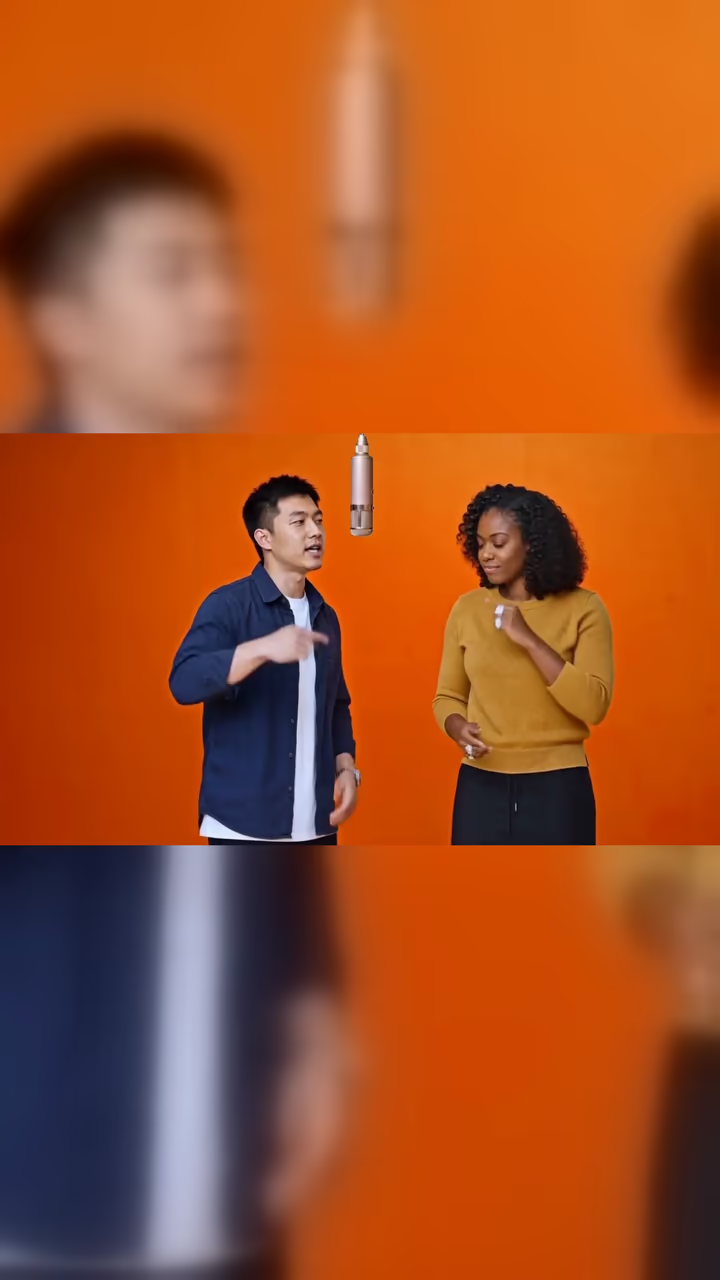
The Hotel Lobby trend is named after a rap song, not a place. The clip everyone copies is a live studio performance: two rappers in a plain, bright-orange booth with a single microphone hanging from the ceiling, trading lines of the verse back and forth, leaning toward each other, pointing, and stopping for a finger-to-lips "shh" before the next line. In 2026 people started recasting that clip with AI, putting themselves and a friend in the two performers' places while the original song plays.

This template does exactly that from two photos. The first photo becomes the performer on the left, the second the performer on the right. The model follows the original performance shot for shot: the same orange booth and hanging mic, the same framing and cut, the same gestures and timing, with both of you mouthing the verse. Each of you keeps your own face, hair and clothes.

The result is a 15-second vertical (9:16) video, ready for TikTok, Reels and Shorts: the performance runs across the middle of the frame over a blurred backdrop of itself, exactly like the viral posts. You also get the full landscape (16:9) copy. Both carry the original song, lined up with the performance, and no watermark. Generation takes about 15 minutes, because the model has to match a whole 15-second performance frame by frame.

How the recast works

Most photo-to-video templates start from one picture and invent the motion. This one works the other way round. The model is given a 15-second reference performance, the song, and your two photos, and is asked to redo that performance with you in it. That is why the timing, the camera cut and the gestures match the trend clip so closely, and why the faces are yours rather than the original performers'.

The model also generates its own vocals, which tend to drift a little off the beat. So once the video is ready, we replace its audio with the original 15-second song section. The picture is untouched; only the sound changes, which keeps the lip-sync and the music lined up.

Getting the best result

Everything depends on the two photos. Clear, front-facing pictures with even light, one person each, give the model the most to work with, and the faces stay steadier through the fast gestures. A photo where the face is small, turned away or half hidden is the most common reason a result looks less like you.

If a run comes out with a wrong hand or a face that drifts in the wide shot, generate again: each take is a little different. Keep in mind that a run takes about 15 minutes, so you can leave the page and find the video in Creations when it is done.

AI Hotel Lobby Video FAQ

What is the Hotel Lobby AI trend?

It recreates a viral live rap performance named after the song "Hotel Lobby": two performers in an orange studio booth with one hanging microphone trade the verse back and forth. People recast it with AI so that they and a friend are the two performers, with the original song playing.

How do I make a Hotel Lobby AI video?

Upload a photo of the left performer and a photo of the right performer, then press Generate. You get a 15-second vertical (9:16) video of you both performing the verse in the orange booth, with the song already on it, plus a 16:9 landscape copy.

Does the video have sound?

Yes. The finished video carries the original 15-second section of the song, lined up with the performance. You don't need to add the audio yourself.

Can I do it with just one photo?

No. The trend is a duo, so the template needs two photos, one person in each.

Can I use a photo of a real rapper or a celebrity?

No. Only upload photos of yourself and people who agreed to be in the video. Don't use photos of artists, celebrities or anyone else without their permission, and don't present the result as featuring a real performer.

How long does it take?

About 15 minutes. You can leave the page; the video is saved to your Creations when it is ready.

Is it vertical?

Yes. The main video is 9:16 vertical (1080x1920) for TikTok, Reels and Shorts: the performance sits across the middle over a blurred copy of itself, like the trend posts. A 16:9 landscape copy is included too.

Are my photos stored?

Uploads are stored in Firebase Storage (Google Cloud), linked to your account, so the video can be made and saved to your creations. They are not public. Email support to have them deleted. To run the effect, a copy is sent to our AI model provider (kie.ai); result files are kept for 14 days, so download what you want to keep.

More AI effects

Try the AI Hotel Lobby Video

Upload two photos and get your video in a couple of minutes.

Upload photos