

Skip to content

AI 24 Car Trend Video

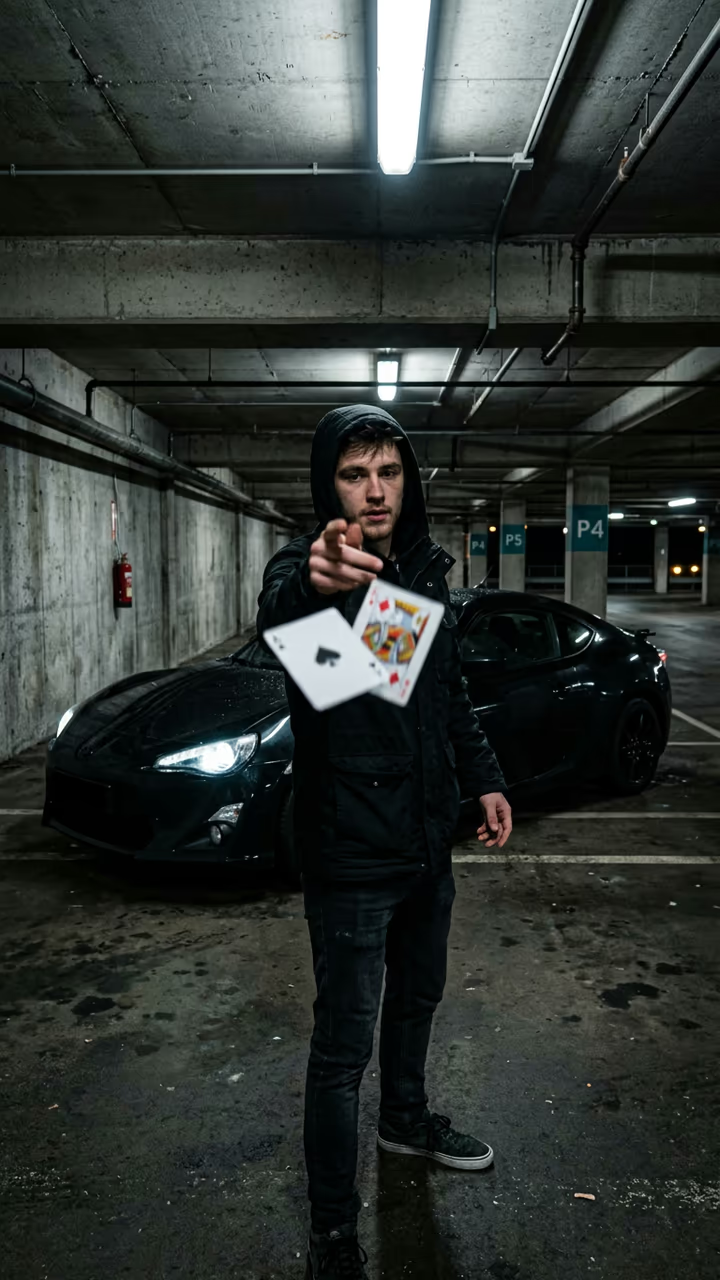
You flick two playing cards at the camera in a parking garage at night, and a sports car appears right behind you.

24 Card Flick Car · switch effect

Your photo

Waist up, face clear

Dream car (optional) (optional)

Any car photo; default is a dark sports coupé

Cost shown before you run · failed runs are refunded

  • Ready in 1–3 min
  • No watermark
  • Failed runs refunded
  • Uploads never published

This trend on Instagram & TikTok

The most-watched videos of this trend, shown with credit and a link to each original post. Videos belong to their creators; they were not made with Soracai.

  1. 1

    @y0kun

    Trend video

    TikTok

    2.87M views · 546K likes · September 2

    The original card flick with a car behind

    Watch on TikTok ↗
  2. 2

    @supercarvicky

    Trend video

    TikTok

    2.57M views · 386K likes · October 2

    Parking-garage version

    Watch on TikTok ↗
  3. 3

    @meowstardaily

    Trend video

    TikTok

    766K views · 41K likes · October 11

    How to make the 24 car trend

    Watch on TikTok ↗
  4. 4

    @phm_hang

    Trend video

    TikTok

    18K views · 231 likes · October 9

    The AI version of the trend

    Watch on TikTok ↗

How to use the AI 24 Car Trend Video

  1. 01

    Upload your photos

    Your photo: Waist up, face clear. Dream car (optional): Any car photo; default is a dark sports coupé.

  2. 02

    Press Generate

    The 24 Card Flick Car effect runs on its own tuned settings. It costs 140 credits, shown on the button before you run it.

  3. 03

    Download

    Your video is ready in one to three minutes. Download the MP4 without a watermark.

AI Travel Effects

What is the AI 24 Car Trend Video?

The AI 24 car template recreates the card-flick reveal that car accounts have been posting all autumn. Your photo becomes a night phone video in a dim concrete parking garage: you stand at arm's length from the camera under cold strip lights, holding the 2 and the 4 of hearts between two fingers with a cool half-smile, and the bay behind you is empty. Then you flick the cards straight at the lens. They spin toward the camera and fill the frame for a split second, and when they clear, a glossy dark sports coupé is parked right behind you with its headlights flicking on. You lean back on it and smirk.

The original real clips reached 2.9 million and 2.6 million views on TikTok, and the trend hashtag gathered 3.1 million views in its first eight days in October 2026. AI how-tos followed at 766,000 and 435,000 views, because most people do not have a supercar in the garage. Add a photo of any car to make it your dream car; otherwise you get the dark coupé.

The template runs in two steps: an image model builds the garage scene from your photo, then a video model performs the flick and the reveal with sound. The clip is 8 seconds, vertical, with no brand badges and no watermark.

How the reveal works

The cards are the cut. In the real videos the creator flicks the cards at the lens and edits in the car while the frame is covered. The video model does the same in one shot: the spinning cards fill the screen for a moment and the car is there when they clear.

Choosing the car

Leave the car box empty for a glossy dark sports coupé. Upload any car photo to use that car instead; the template keeps its shape and colour and leaves out brand badges.

AI 24 Car Trend Video FAQ

How do I make the 24 car trend video?

Upload a waist-up photo, optionally add a car photo, and press Generate. The template builds the garage scene and animates the card flick and the car reveal.

Is it free?

Video templates use paid credits. New accounts get free credits for photo templates only. The exact cost is shown on the Generate button before you confirm.

Why the 2 and the 4?

That is the trend: the creator shows a 2 and a 4 before the car appears. The cards are always the 2 and the 4 of hearts.

Can I pick the car?

Yes. Upload a photo of the car you want. Without one you get a dark sports coupé.

Does the video have sound?

Yes: a card flick, a swoosh, an engine growl and an original bass beat. You can mute it and add the trending song.

Is there a watermark?

No watermark is added to the video.

Where is my photo stored?

Uploads are stored in Firebase Storage (Google Cloud) under your account so the run can happen and the result appears in Creations. They are not public, and you can email support to request deletion. To run the effect, a copy is sent to our AI model provider (kie.ai); result files are kept for 14 days, so download what you want to keep.

More AI effects

Try the AI 24 Car Trend Video

Upload two photos and get your video in a couple of minutes.

Upload photos