
Skip to content

Bicep Heart Trend AI: Flex, Press, Make the Heart From One Photo

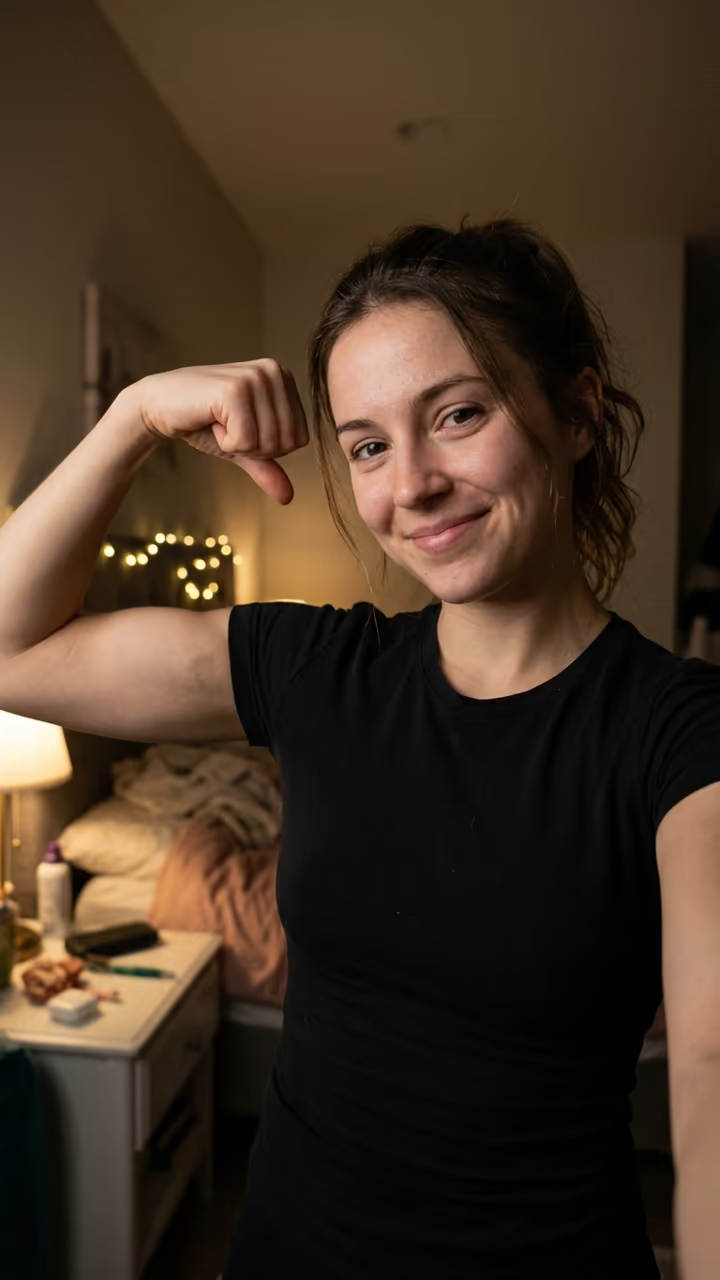
From one photo, you look into your front camera, flex one arm and press the other hand to the bicep so it closes into a heart: the viral bicep heart trend in 8 seconds.

Bicep Heart Trend · switch effect

Your photo

One adult, waist up, face clear and toward the camera, arms in view. A t-shirt or tank top works best.

Cost shown before you run · failed runs are refunded

  • Ready in 1–3 min
  • No watermark
  • Failed runs refunded
  • Uploads never published

This trend on Instagram & TikTok

The most-watched videos of this trend, shown with credit and a link to each original post. Videos belong to their creators; they were not made with Soracai.

  1. 1

    @mckennacrisp

    Trend video

    TikTok

    4.28M views · 768K likes · October 31

    “im sad please send bicep hearts”: 4.3M

    Watch on TikTok ↗
  2. 2

    @kavithageorge

    Trend video

    TikTok

    4.14M views · 942K likes · November 1

    “have you ever heard of a bicep heart...”: 4.1M

    Watch on TikTok ↗
  3. 3

    @hunnybakes

    Trend video

    TikTok

    1.71M views · 232K likes · October 30

    “I will now be abusing this”: 1.7M

    Watch on TikTok ↗
  4. 4

    @xheikhsam

    Trend video

    TikTok

    284K views · 9,977 likes · November 2

    “Your girl asked you to do this”: 284K

    Watch on TikTok ↗

How to use the Bicep Heart Trend AI: Flex, Press, Make the Heart From One Photo

  1. 01

    Upload a photo

    Your photo: One adult, waist up, face clear and toward the camera, arms in view. A t-shirt or tank top works best..

  2. 02

    Press Generate

    The Bicep Heart Trend effect runs on its own tuned settings. It costs 140 credits, shown on the button before you run it.

  3. 03

    Download

    Your video is ready in one to three minutes. Download the MP4 without a watermark.

What is the Bicep Heart Trend AI: Flex, Press, Make the Heart From One Photo?

The bicep heart is the gesture taking over TikTok at the start of November 2026: you flex one arm, then press the thumb and fingers of the other hand against the bicep so the hand closes the shape into a heart. Upload one photo and this template films you doing it in a front-camera selfie, mock-sad face first, proud grin after.

It started as a gym joke on X. The #bicepheart tag first appeared on TikTok on 26 October 2026, and within a week the biggest takes passed 4.3 million views ("im sad please send bicep hearts", 31 October), 4.1 million ("have you ever heard of a bicep heart...", 1 November, 942,000 likes) and 1.7 million (30 October). On 2 November CapCut versions were already passing 280,000 views, and Google searches for "bicep heart trend" jumped by thousands of percent in a week.

The template runs in two steps: an image model sets you up in a cozy selfie shot with your own face and clothes, then a video model plays the 8-second flex, the heart and the grin with a soft original lo-fi beat. No gym needed: the bicep comes with the trend. The trend videos on this page are credited to their creators; the poster image is AI-generated.

What happens in the video

0-2 s: you look into your front camera with a mock-sad face. 2-4.5 s: you flex one arm and press the other hand against the bicep so it closes into a heart. 4.5-7 s: you hold the bicep heart up and grin. 7-8 s: a wink at the camera.

How do you do the bicep heart?

Flex one arm with the fist up near your shoulder. Bring the other hand over, curl the fingers and press the thumb and fingertips against the bicep, so the curve of the hand and the curve of the muscle meet in a heart shape. Hold it up next to your face. The template does it for you from one photo.

Which photo to use

One adult, waist up, face clear and toward the camera, arms in view, good light. A t-shirt or tank top looks most natural. Use your own photo or one of a friend who said yes, never a celebrity or a stranger.

Bicep Heart Trend AI: Flex, Press, Make the Heart From One Photo FAQ

How do I make the bicep heart video with AI?

Upload one clear waist-up photo and press Generate. You get an 8-second selfie clip of you flexing, closing the bicep heart and grinning at the camera.

Is it free?

Video templates use paid credits. New accounts get free credits for photo templates only. The exact cost is shown on the Generate button before you confirm.

Do I need big arms?

No. The video model plays a flexed bicep for you, and the heart shape comes from the hand pressed against it.

Does the video have sound?

Yes: a soft original lo-fi beat, with no existing song. Add the trending bicep heart sound in TikTok when you post.

Can I use a photo of my child?

No. The site does not take photos of children. Use your own photo or one of an adult who agreed.

Is this affiliated with TikTok, X or the creators of the trend?

No. Soracai is not affiliated with TikTok, X, CapCut or any creator shown on this page. "Bicep heart" is the name of the trend, used because that is what people search for.

Is there a watermark?

No watermark is added to the video.

Where is my photo stored?

Uploads are stored in Firebase Storage (Google Cloud) under your account so the run can happen and the result appears in Creations. They are not public, and you can email support to request deletion. To run the effect, a copy is sent to our AI model provider (kie.ai); result files are kept for 14 days, so download what you want to keep.

More AI effects

Try the Bicep Heart Trend AI: Flex, Press, Make the Heart From One Photo

Upload a photo and get your video in a couple of minutes.

Upload photo