
What is the AI Winter Photo?
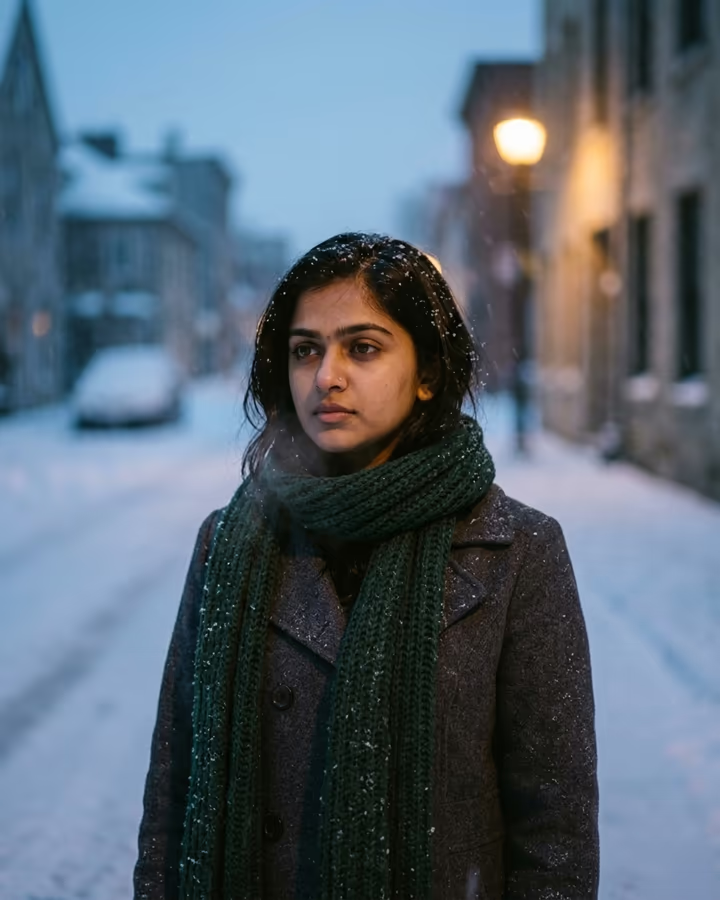
The AI winter trend is about mood, not decorations. Instead of Christmas trees and Santa hats, it puts you alone on an empty street at blue hour while snow falls around you: wool coat, knit scarf, snowflakes caught in your hair, your breath visible in the cold air, eyes turned slightly away from the camera. The image has the soft grain and muted, cold palette of 35mm film, broken only by the warm glow of a street light.
This cinematic, slightly melancholic winter portrait became a recurring trend on TikTok and Instagram during the colder months, often posted with slow, wistful music. Its appeal is that it looks like a still from an indie film rather than a holiday card, and it suits almost any photo. Soracai first offered it as a trend template with several framing options; this version focuses on the single shot people shared most and gives clearer instructions to keep your face accurate.
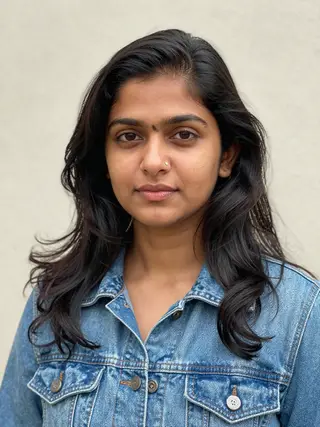
You upload one photo and get a 4:5 portrait back in about 20 to 40 seconds. An optional detail box lets you change one element, like the color of your hat or the style of street. Example images on this page were generated from AI-generated fictional people.
The ingredients of the winter film look
Several small details make the image feel like a film still instead of an edit. The time of day is blue hour, just after sunset, when the sky turns deep blue and street lights are on. Snow is falling, not just lying on the ground, and a few flakes rest in your hair. Your breath is visible, which signals real cold. The palette is muted and cool, with one warm light source for contrast, and the whole frame has gentle 35mm grain.
The pose matters as well. Looking slightly away from the camera, rather than straight into it, is what gives the trend its reflective, lonely mood.
Winter photo vs Christmas photo
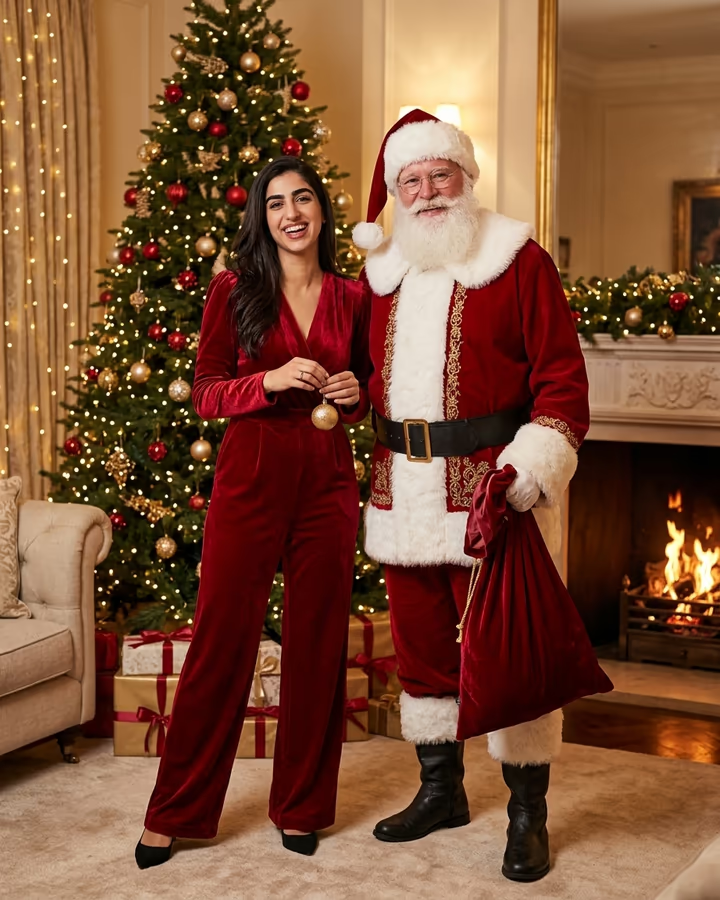
If you want festive and glamorous, use the AI Christmas photo template, which puts you in red velvet next to Santa in a decorated living room. The winter photo is the opposite: quiet, cold and unbranded, with no holiday symbols at all, so it works from November through February and does not date itself to one day.
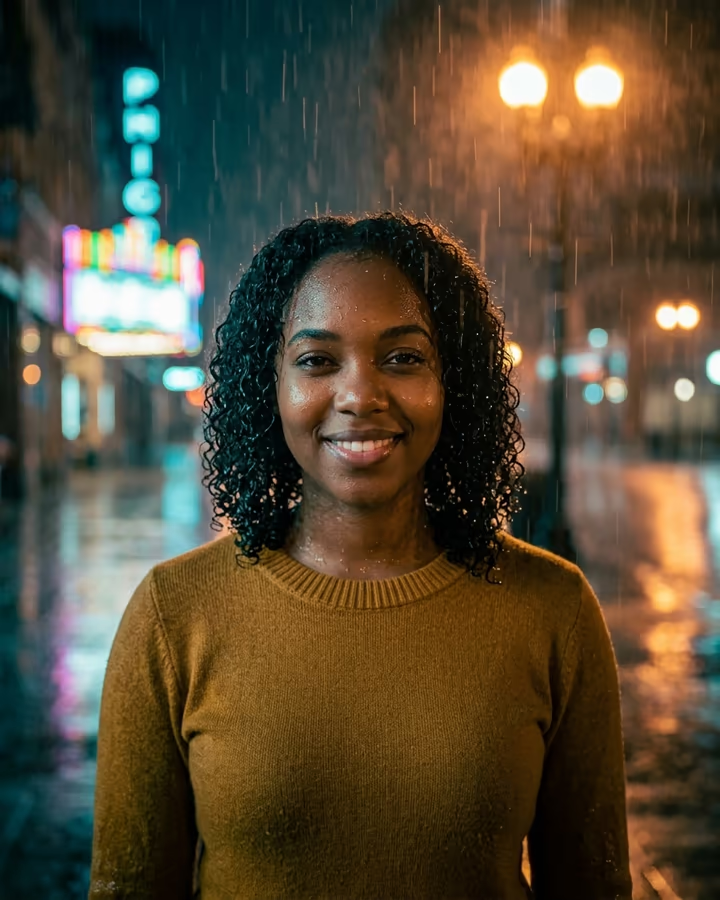
For other moody portraits, the AI rain effect gives a similar cinematic feel with night rain and neon reflections, and the AI studio portrait offers a darker, high-end indoor look. All three keep your face from the upload and only change the scene, light and styling around you.