Skip to content

AI Fashion Photo Generator

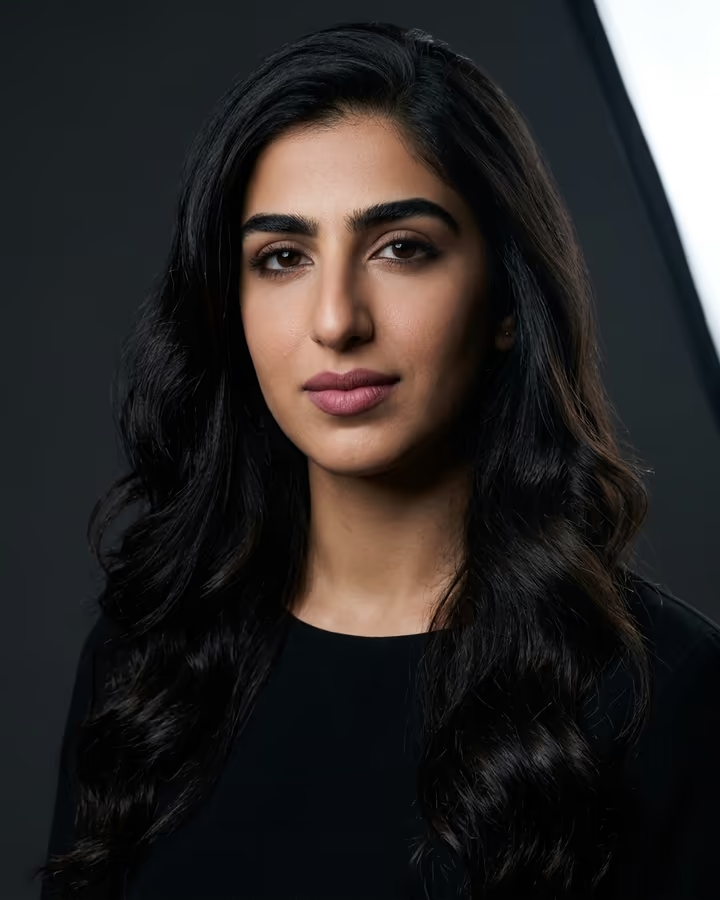
Editorial fashion photography without the studio. A fashion shoot needs a photographer, a studio, lighting, styling and often a model, which adds up quickly. This generator helps you restyle your own outfit photos with editorial lighting, backdrops and color grading.

Recommended settings

Model
Nano Banana Pro
Aspect ratio
9:16
Resolution
4K

Why: Fashion photography demands fabric texture detail, accurate color rendering for clothing, and dramatic lighting. Pro model excels at these. 9:16 is the modern fashion editorial ratio used on Instagram and in digital lookbooks. 4K captures every thread and texture detail.

How to use the AI Fashion Photo Generator

  1. 01

    Open Photo studio

    The suggested prompt is filled in. Edit the details (outfit, background, mood) to match what you need.

  2. 02

    Add your photo

    Upload a clear, front-lit photo so the result keeps your face and features. Pick the ratio and resolution below.

  3. 03

    Generate and download

    A photo usually takes under a minute. If it is close but not right, change one detail in the prompt and run it again.

Ready-made effects for this

All effects

What is the AI Fashion Photo Generator?

The AI Fashion Photo Generator is a set of prompts and settings based on fashion photography conventions: dramatic directional light, editorial color grading, settings that suit the look and confident posing. It can turn a casual outfit photo into something closer to a lookbook or magazine shot.

How it works

Upload a photo of the outfit in Photo studio and start from the suggested prompt. Name the aesthetic, such as 'street fashion editorial', 'high fashion studio' or 'minimalist lookbook'. The model restyles light, background and color. Check that the garment's color and cut still match the real product.

Why use it

Small brands and independent designers often cannot afford a full shoot for every drop, and fashion creators need a steady stream of content. This makes editorial-style images much easier to produce.

Popular uses

  • Small fashion brand lookbook and collection photography
  • Instagram fashion influencer content creation
  • Online clothing store product and lifestyle shots
  • Fashion portfolio building for aspiring models
  • Personal style documentation and outfit-of-the-day posts

AI Fashion Photo Generator FAQ

Can it change what I am wearing?

This generator restyles the photo around the outfit you are wearing. The model can sometimes change garment details, so check the result. For trying on different outfits, describe the outfit in Photo studio, and expect more variation.

Does it work for plus-size fashion?

Yes. Ask for lighting and background changes only, and do not prompt for body changes. Check the result: AI models can sometimes alter proportions, so regenerate if it does not look like you.

Can I use this for my clothing brand's website?

It can work for brand content. If you sell the garment, make sure the image represents its color and fit accurately. Use of generated images is governed by our Terms, and you need the rights to any photo you upload.

What is the difference between this and the product photo generator?

The product photo generator optimizes for clean white backgrounds and marketplace compliance. The fashion photo generator focuses on editorial aesthetics, dramatic lighting, and lifestyle contexts. Use the product generator for flat-lay catalog shots and this one for model and editorial content.

How do I get the 'editorial magazine' look?

Specify 'Vogue editorial, dramatic Rembrandt lighting, desaturated moody color palette' in your prompt. Combine this with a strong pose and solid background for the most magazine-authentic result.

Try the AI Fashion Photo Generator

Open Photo studio with the prompt filled in, add your photo and generate.

Explore Soracai